

What it remembers and where
Three texts written by people are not memory: your description in My Profile (the Your profile in your workspace card), a project’s instructions, and the Company instructions an admin writes. Tuqui always reads them and never changes them.
What is not in memory, Tuqui can look up when needed: your past chats and the project’s files.
When it takes notes
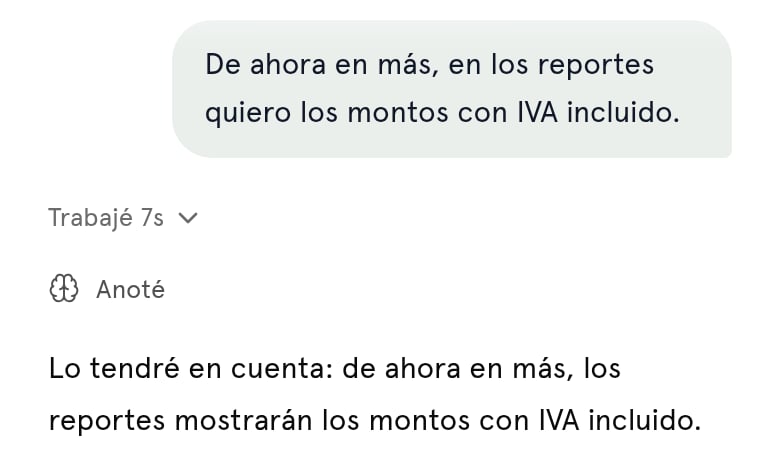
Tuqui takes notes right away, in the same conversation:- When you ask it to: “Remember that we call Mariana Mari”, “From now on, reports include VAT”.
- When you give it a rule for every time, even without saying “remember”: “Always give me amounts without VAT”.
- When you tell it who you are: your role, your area, what you are in charge of.
- When you correct it and the correction holds for next time: if it already had a topic on that, it rewrites it with what is new.
In a project, it asks first
Every member of a project reads what is noted there. So before noting or deleting something in a project, Tuqui asks you and waits for your answer.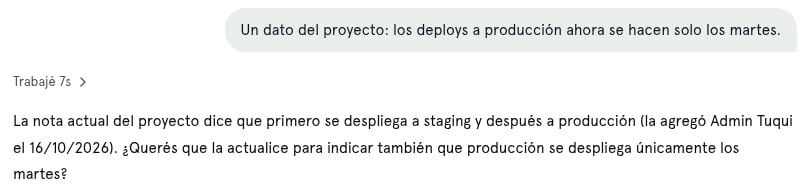
Once a week, it reviews and tidies up
Some things don’t show in a single conversation: the rule you explain the same way every time, or what you always ask for the same way. So once a week, at night, Tuqui rereads what you wrote in your chats over the last week, next to what it already knows about you:- It notes what repeats in at least two conversations. Those topics show Tuqui noticed this across your chats.
- It tidies up what it knows: it merges topics that say the same thing, shortens long ones and removes what you said no longer holds.
View and correct what it learned
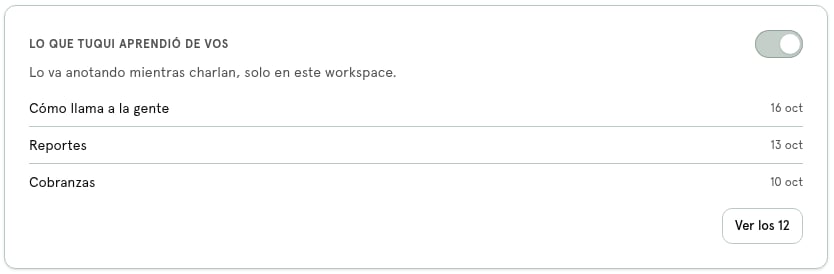
About you: open your user menu, choose Settings → My Profile and find the What Tuqui has learned about you card. About a project: open the project. The What Tuqui has learned in this project card is in the right-hand panel.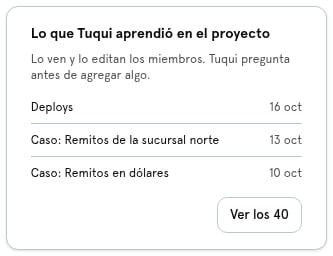
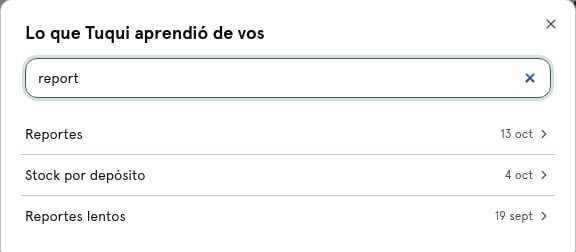
- Correct it: change the title or the text and click Save.
- Delete it: click Delete and confirm with Delete topic. Tuqui forgets it, and this cannot be undone.
Ask it to forget
Say “Forget about…” or “Stop taking … into account” in your own words. Tuqui deletes that topic, and you see Forgot in the work details.Turn personal memory off
The What Tuqui has learned about you card has a switch. With memory off, Tuqui neither uses nor notes topics about you, and the list is hidden. Topics already there are not deleted. What it learns in a project cannot be turned off.Limits
- Up to 60 topics about you in each workspace, and up to 60 per project. When it fills up, Tuqui merges similar topics instead of deleting one.
- A topic goes away when you delete it, when you ask Tuqui to, or when, in its weekly review, Tuqui sees you said it no longer holds.
- Each topic has a short title (up to 60 characters) and a text of up to 600.
Company memory
Company memory is notes Tuqui keeps in mind in the conversations of every workspace member: clients’ payment methods, internal processes, business rules. It is off by default.- An admin turns it on or off, and only admins can add or delete notes, from the chat too. When deleting from the chat, Tuqui asks for confirmation.
- It is in Settings → Company → Company memory (admins only). Notes are added by hand there with Add a memory. To delete one, click the X and confirm with Delete memory.
- It holds up to 50 notes. If Tuqui adds one from the chat when there are already 50, the oldest is deleted. By hand, you have to delete another one first.
- Each note takes a title of up to 80 characters and a text of up to 4,000.